
Prerequisites
- Node.js 18 or higher
- An AI coding tool (Claude Code, Cursor, GitHub Copilot, or Google Antigravity)
Install specs.md
Always use npx to get the latest version. Do not install globally with npm.
Select Your Flow
During installation, you’ll be prompted to select a development flow:Not sure which flow? Check out our Choose Your Flow guide.
Agent Definitions
Specialized agents for your selected flow
Standards
Project guidelines and conventions
Slash Commands
Easy agent invocation commands
What Gets Installed
After installation, you’ll see the following structure based on your selected flow:- Simple Flow
- FIRE Flow
- AI-DLC Flow
Tool-Specific Setup
- Claude Code
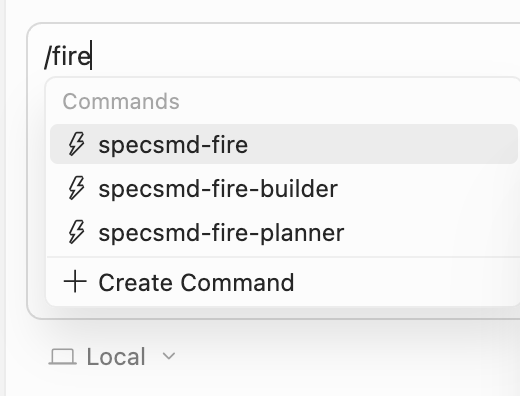
- Cursor
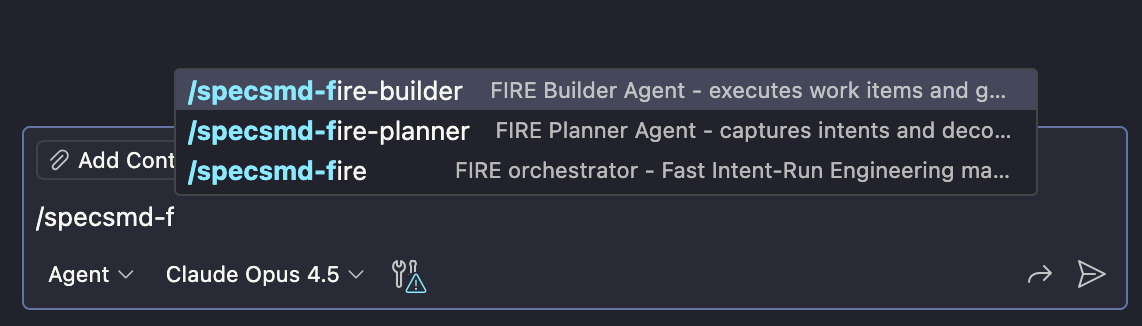
- GitHub Copilot
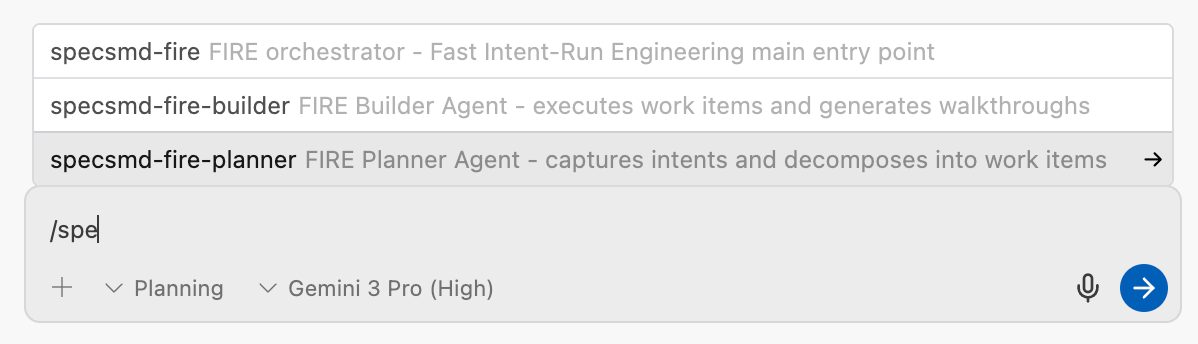
- Google Antigravity
Slash commands are installed in 
.claude/commands/. Type / to see available commands:/specsmd-agent
/specsmd-fire/specsmd-fire-planner/specsmd-fire-builder
/specsmd-master-agent/specsmd-inception-agent/specsmd-construction-agent/specsmd-operations-agent
Next Steps
Simple Quick Start
Generate specs in minutes
FIRE Quick Start
Ship your first feature fast
AI-DLC Quick Start
Full methodology walkthrough